
Last updated: June 12, 2026
A few years ago, I bought my first OBD2 scanner on a whim from an online marketplace. It cost about twenty dollars, plugged into my car’s diagnostic port, and promised to read engine codes. It did that, barely. The definitions were vague, the interface froze half the time, and when I tried to clear a code, it bricked itself and never turned on again. That experience taught me that not all scanners are the same, and the cheapest option is usually not the best value.
Since then, I have used dozens of scanners ranging from basic code readers to professional-grade diagnostic tools that cost more than some used cars. In this guide, I will share what I have learned about choosing the right scanner for your needs, which features actually matter, which brands deliver, and the common traps that waste your money.
What OBD2 Actually Is and Why It Matters
OBD2 stands for On-Board Diagnostics, second generation. It is a standardized system that has been mandatory in all cars sold in the United States since 1996. The standardization means that every OBD2 scanner can plug into any OBD2-equipped vehicle and read basic engine and emissions data. That is the good news.
The less obvious news is that OBD2 only covers a limited set of parameters. It reads powertrain codes, monitors emissions-related systems, and provides some live data like engine RPM, coolant temperature, and vehicle speed. It does not automatically give you access to ABS, airbag, transmission, or body control modules unless the scanner specifically supports those protocols. Many buyers assume one scanner does it all. It does not.
Understanding this distinction is the first step to buying the right tool. If you just want to know why your check engine light is on, a basic reader is fine. If you want to diagnose why your transmission is shifting hard or why your airbag light is on, you need a more capable unit.
Types of OBD2 Scanners
Before you start comparing brands and prices, figure out which category fits your needs. Scanners generally fall into four tiers.
| Scanner Type | Price Range | What It Does | Best For |
|---|---|---|---|
| Basic Code Reader | $20 – $60 | Reads and clears engine codes, shows code definitions | Homeowners who just want to know why the light is on |
| DIY Scan Tool | $60 – $200 | Live data, freeze frame, some enhanced diagnostics (ABS, SRS) | Enthusiasts who do their own maintenance and troubleshooting |
| Professional Diagnostic Tool | $200 – $800 | Full system access, bi-directional controls, service functions | Advanced DIYers, mobile mechanics, small shops |
| Dealer-Level Scanner | $800 – $5,000+ | OEM software, programming, calibration, full dealer functions | Professional shops, specialists, serious hobbyists |
Honest Advice: Most people overestimate what they need. If you are not turning wrenches professionally, a good DIY scan tool in the $80 to $150 range will handle 95 percent of the diagnostics you will ever do. Spending more does not make you a better mechanic. Understanding what the data means does.
Features That Actually Matter
Scanner marketing loves to list features in bold letters. Here is which ones are genuinely useful and which are fluff.
Code Reading and Clearing
This is the baseline. Every scanner does it. What separates good from bad is the quality of the code definitions. Cheap scanners often give you a generic P0xxx number and a one-sentence description. Better scanners explain the code in plain language, list common causes, and suggest likely fixes. That context saves you hours of internet searching.
Live Data Stream
Live data lets you watch sensor values in real time as the engine runs. This is where diagnostics get interesting. You can see if your oxygen sensor is switching properly, whether your fuel trims are drifting, or if your coolant temperature sensor is reading accurately. A scanner without live data is just a code reader. A scanner with live data is a diagnostic tool.
Freeze Frame Data
When a code sets, the computer captures a snapshot of engine conditions at that exact moment. Freeze frame data includes RPM, vehicle speed, coolant temperature, and other parameters. This is invaluable because it tells you what the engine was doing when the fault occurred. Was it idling? Accelerating? Cold? Hot? That context narrows down the cause dramatically.
Enhanced Diagnostics
This is the feature that separates basic readers from real scan tools. Enhanced diagnostics means access to modules beyond the engine computer. ABS codes, airbag codes, transmission codes, climate control codes. Not every car supports every module, but a scanner with enhanced capability can at least try. If you are troubleshooting a specific system, verify that the scanner supports it for your make and model before buying.
Bi-Directional Controls
Bi-directional means the scanner can send commands to the car, not just read from it. You can command the fuel pump to run, cycle the cooling fans, or test individual injectors. This is powerful for isolating problems without replacing parts blindly. It is also where the price jumps significantly. For most home users, this is a nice-to-have, not a need-to-have.
Service Functions
Modern cars require electronic resets after certain maintenance procedures. Oil change light reset, throttle body relearn, battery registration, TPMS relearn, steering angle sensor calibration. A scanner with service functions can save you a trip to the dealer for these simple resets. Check which functions are supported for your specific vehicle before buying.
Connectivity: Wired, Bluetooth, and WiFi
Scanners connect to your car through the OBD2 port, which is a 16-pin connector usually located under the dashboard. From there, the data gets to you in one of three ways.
| Connection Type | How It Works | Pros | Cons |
|---|---|---|---|
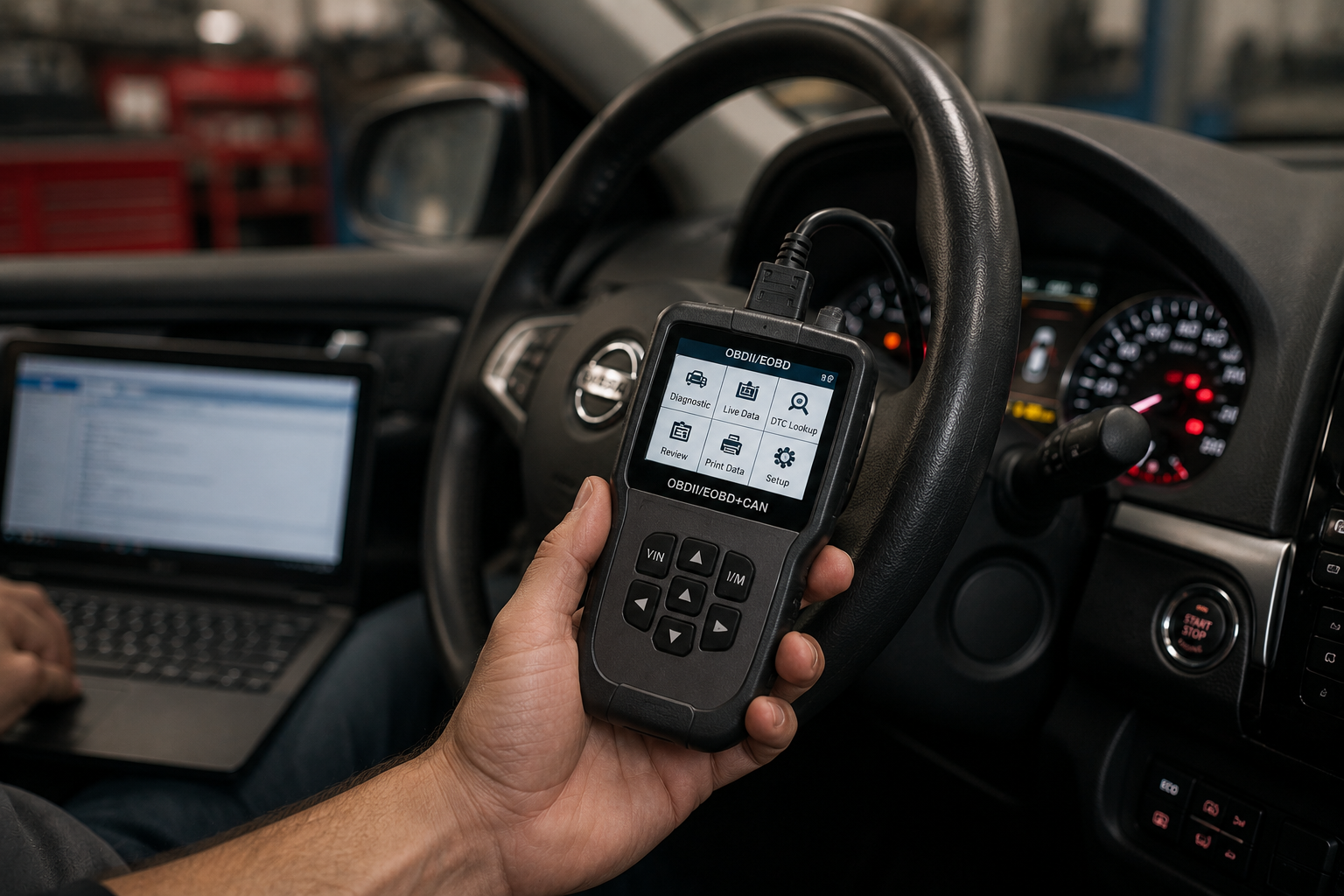
| Wired Handheld | Cable from OBD2 port to dedicated screen | Reliable, no pairing issues, works without phone | Bulky, limited screen size, no updates after purchase |
| Bluetooth Dongle + App | Small adapter plugs into port, pairs with phone or tablet | Compact, app updates add features, large phone screen | Requires phone battery, Bluetooth can drop, app subscription costs |
| WiFi Dongle + App | Similar to Bluetooth but uses WiFi for faster data | Faster data refresh, more stable than Bluetooth | More expensive, can interfere with car’s own WiFi systems |
My preference depends on the situation. For quick checks in the driveway, a Bluetooth dongle with a good app is hard to beat. For serious diagnostics where I need fast data refresh and no connection drops, I reach for a wired handheld. WiFi adapters sit in the middle and work well for iOS users since Apple restricts Bluetooth OBD2 access more than Android does.
Watch Out For: Some cheap Bluetooth adapters draw power even when the car is off and can drain your battery over several days. Look for adapters with an auto-sleep feature, or unplug it when you are done. I learned this the hard way after a weekend trip left me with a dead battery and a confused tow truck driver.
Brands That Deliver and Brands to Skip
The OBD2 scanner market is flooded with no-name brands, rebranded generics, and outright clones. Here is what my experience and the mechanic community consensus says about the major players.
Reliable Brands Worth Considering
- Autel: Wide range from basic readers to professional tools. Good build quality, regular updates, strong vehicle coverage. The MaxiCOM and MaxiCheck series are solid mid-range options.
- Launch: Popular in professional shops. The CReader and X431 lines cover everything from DIY to dealer-level work. Interface can feel dated, but the data is reliable.
- BlueDriver: Bluetooth-only, app-based, North American vehicle focused. Excellent code definitions and repair reports. Subscription-free. Best for iPhone users who want a clean app experience.
- FIXD: Simple Bluetooth dongle with a user-friendly app. Good for beginners who want plain-language explanations without technical overload. Limited advanced features.
- Innova: Long-standing brand with a range of handhelds. Good warranty support and decent vehicle coverage. The 3160g and 5610 are popular mid-range choices.
- FOXWELL: Budget-friendly with surprising capability for the price. The NT301 and NT624 are well-regarded in DIY circles. Build quality varies by model.
Brands and Products to Approach with Caution
- Unbranded $10 to $20 Bluetooth adapters: These are usually ELM327 clones with stripped-down firmware. They read basic codes, sometimes. Live data is often missing or garbled. Many fail within months.
- Scanners with mandatory subscriptions: Some tools lock features behind ongoing monthly fees. A $100 scanner that costs $10 per month to use fully is a $220 scanner in year one. Factor that into your budget.
- Tools claiming to support every car ever made: No scanner supports every vehicle perfectly. Enhanced diagnostics vary by make, model, and year. Vague claims of universal compatibility are usually a red flag.
What to Avoid When Buying an OBD2 Scanner
Over the years, I have made enough mistakes to compile a decent list of what not to do.
Do Not Buy Based on Feature Count Alone
A scanner that lists 50 features but only supports 10 of them for your car is not a good deal. Check vehicle compatibility before you buy. Most reputable manufacturers list compatibility charts on their websites. If they do not, that is a warning sign.
Do Not Ignore Update Policies
Cars change. New models come out. New protocols get added. A scanner that cannot be updated is a scanner that gets less useful every year. Free lifetime updates are ideal. Paid updates are acceptable if the tool is otherwise excellent. No update capability at all is a dealbreaker for anything beyond a basic code reader.
Do Not Assume All Apps Are Equal
Bluetooth and WiFi scanners are only as good as the app they pair with. Read app store reviews. Check how often the app updates. A great adapter with a buggy, abandoned app is worthless. I have seen adapters with 4-star hardware and 1-star apps. The app matters.
Do Not Forget About Warranty and Support
When your scanner stops working three months in, will the company help you? Reputable brands offer at least a one-year warranty and responsive customer service. No-name brands from online marketplaces often disappear the moment you have a problem.
My Recommendation: For most home users, I suggest starting with a Bluetooth scanner like BlueDriver or a handheld unit like the Autel MaxiCOM MK808. Both offer live data, freeze frame, and enhanced diagnostics for a wide range of vehicles without breaking the bank. If you outgrow them, you will know exactly which advanced features you actually need.
How to Use Your Scanner Effectively
Buying the right scanner is only half the battle. Using it well is the other half. Here is what I wish someone had told me when I started.
First, always check for pending codes, not just active codes. Pending codes are faults that have happened once but have not triggered the check engine light yet. They are early warnings. Catching a problem at the pending stage often means a cheaper fix.
Second, write down or screenshot the codes before you clear them. Once cleared, the data is gone unless you saved it. Codes can return immediately, return after a drive cycle, or stay gone. Knowing the pattern tells you whether the problem is constant or intermittent.
Third, look at live data even when there are no codes. A sensor can be reading slightly out of range without triggering a fault. Fuel trims, oxygen sensor switching rates, and coolant temperature behavior all tell you about engine health before the computer decides something is wrong enough to flag.
Fourth, understand that a code points to a system, not necessarily a specific part. A P0171 code means the engine is running lean. It does not mean your oxygen sensor is bad. It could be a vacuum leak, a dirty mass airflow sensor, a weak fuel pump, or yes, a failing oxygen sensor. The scanner gives you the starting point. Your brain and a test plan do the rest.
Final Thoughts
An OBD2 scanner is one of the most useful tools you can own as a car owner. It turns the mysterious check engine light into actionable information. It saves you from unnecessary parts replacement. It gives you confidence when you walk into a shop because you already know what is wrong.
But a scanner is only a tool. It does not replace understanding, patience, or a methodical approach to troubleshooting. Buy the right scanner for your needs, learn what the data means, and use it as part of a bigger diagnostic process. The best scanner in the world is useless in the hands of someone who does not know what to do with the information it provides.
Start simple. Grow into complexity. And remember that the twenty-dollar scanner that broke on me taught me more about what not to buy than any review ever could.
Bottom Line: Match the scanner to your skill level and your needs. A basic reader is fine for code checks. A DIY scan tool with live data is ideal for enthusiasts. Professional tools are for professionals. Avoid clones, check update policies, and never buy based on feature count without verifying vehicle compatibility.
Related Articles
- What Is an OBD2 Scanner and How to Use It: Beginner Guide
- OBD2 Diagnostic Guide: Read Codes, Freeze Frame, and Fuel Trim Like a Pro
- How to Read Car Diagnostic Trouble Codes Without a Mechanic
- Understanding Freeze Frame Data From Car Diagnostics Easily
- Reading Fuel Trim Data to Spot Early Engine Problems
- How I Identify Intermittent Car Faults With OBD2 History
- Understanding Vehicle Sensor Data Without Technical Confusion
- Check Engine Light: Common Causes and What to Do
Sources and References
- SAE International. «OBD2 Standards and Diagnostic Protocols.» SAE J1979, J2012. https://www.sae.org/standards/
- EPA (Environmental Protection Agency). «On-Board Diagnostics Overview.» https://www.epa.gov/vehicle-and-engine-certification/board-diagnostics-obd
- Consumer Reports. «OBD2 Scanner Buying Guide.» https://www.consumerreports.org/cro/cars/tires-car-care/obd2-scanners/index.htm
- Car and Driver. «Best OBD2 Scanners for DIY Diagnostics.» https://www.caranddriver.com/features/a27169631/best-obd2-scanners/
- Popular Mechanics. «How to Choose an OBD2 Scanner.» https://www.popularmechanics.com/cars/how-to/a3110/1272401/
- Edmunds. «OBD2 Scanners: What They Can and Cannot Do.» https://www.edmunds.com/car-maintenance/obd2-scanners.html
- NHTSA. «Vehicle Diagnostic Systems and Safety.» https://www.nhtsa.gov/vehicle-safety
- ASE (National Institute for Automotive Service Excellence). «Diagnostic Tools and Equipment Standards.» https://www.ase.com/
About the author: This article was written by a hands-on automotive enthusiast with over ten years of experience using OBD2 scanners for personal vehicle diagnostics, troubleshooting engine issues, and helping friends avoid unnecessary repair bills. All recommendations are based on practical field experience combined with manufacturer guidelines and industry standards.

Written by Michael Reyes, part of the FallasDeAutos editorial team. Michael focuses on helping car owners understand and fix common vehicle problems with simple, practical guidance. His content covers diagnostics, maintenance, and troubleshooting, making complex automotive issues easier to understand. He aims to provide clear, reliable information that helps readers make informed decisions while encouraging consultation with qualified mechanics when needed.