
Why Your Check Engine Light Keeps Coming and Going
Have you ever been driving along, minding your own business, when the check engine light suddenly pops on? You pull over, turn the car off, and restart it, and the light is gone. You drive to the mechanic; they plug in their scanner and find nothing. No codes. No problems. They tell you everything looks fine and send you home.
Then two days later, it happens again. This is the frustrating reality of intermittent problems, and it is one of the most common reasons people waste money throwing parts at a car that does not actually need them.
The remarkable news is that your car’s computer is smarter than most people realize. It does not just look at problems in the moment. It keeps a history. If you know where to look, you can catch what live scans miss.
What Is the Difference Between Live Data and History?
When a mechanic plugs a scanner into your OBD2 port, they are usually looking at live data. This is real-time information showing what your engine is doing right now. Examples of such parameters include engine RPM, coolant temperature, and oxygen sensor readings. If the problem is not happening at that exact second, live data will look perfectly normal.
History data, also called freeze frame data, works differently. When the engine control unit detects a fault, it takes a snapshot of all the engine conditions at the exact moment the problem occurred. It saves the engine speed, vehicle speed, coolant temperature, and other key parameters. This snapshot stays in memory even if the check engine light turns off later.
Think of it like a security camera. Live data is just looking at the room right now. A freeze frame is the recording of the exact moment when something went wrong. If the burglar already left, the live camera shows an empty room. But the recording still has the evidence.
How Freeze-Frame Data Helps With Intermittent Issues
Intermittent problems are tricky because they come and go based on specific conditions. A loose wire might only lose contact when the engine bay gets hot. A failing sensor might only act up at certain RPMs. A vacuum leak might only show itself during cold starts. When the car is sitting in a shop at idle, these conditions are not present, so the scanner sees nothing unusual.
Freeze-frame data tells you what was happening when the fault actually triggered. You can see if the engine was cold or warm, if you were accelerating or cruising, and what the exact sensor readings were. This context turns a vague code into a real clue.
For example, a P0303 misfire code on cylinder three could mean a faulty spark plug, a failing coil, a clogged injector, a vacuum leak, or even low compression. The code alone just says «misfire.» But the freeze frame might show the misfire only happened at 4,200 RPM with the engine at full operating temperature. That tells you the problem is likely heat- or load-related, which narrows down the search dramatically.
What Information Does Freeze Frame Actually Capture?
Not every scanner shows the same amount of detail, but the OBD2 standard requires that certain data be saved when a fault occurs. Here is what you can typically expect to find in a freeze-frame snapshot:
| Parameter | What It Tells You | Why It Matters |
|---|---|---|
| Engine RPM | How fast the engine was spinning | Helps identify load-related vs idle-only issues |
| Vehicle Speed | How fast the car was moving | Distinguishes highway problems from city driving issues |
| Coolant Temperature | Whether the engine was cold or warm | Cold-start problems look very different from hot-running problems |
| Calculated Load Value | How hard the engine was working | Heavy load can trigger different faults than light cruising |
| Fuel System Status | Open- or closed-loop operation | «Closed loop» means the computer is using sensor feedback; «open loop» means it is running on preset maps |
| Short-Term Fuel Trim | Immediate fuel adjustments | Large corrections suggest the computer is compensating for a problem |
| Long-Term Fuel Trim | Learned fuel adjustments over time | Persistent high or low values indicate ongoing issues |
| Intake Manifold Pressure | Vacuum or boost pressure reading | Unexpected values can point to leaks or turbo problems |
| Throttle Position | How far the gas pedal was pressed | Helps correlate faults with acceleration, deceleration, or steady throttle |
| Oxygen Sensor Readings | Front and rear sensor voltages | Shows whether the engine was running rich or lean at the moment of fault |
Some vehicles store only one freeze frame at a time, and a newer fault will overwrite the old one. Other cars can store multiple frames depending on the manufacturer. If you have a single-frame system, you want to read this data as soon as possible after the light comes on, before another fault wipes it out.
Real World Example: The Phantom Misfire
A few months back, a friend brought me his 2012 Honda Accord. The check engine light would blink on for a few hours, then disappear for days. The shop kept finding nothing because the light was never on when he arrived. He had already paid for new spark plugs and coils based on a guess, but the problem kept returning.
I plugged in a basic OBD2 scanner and pulled the history. The freeze frame showed the misfire happened at 2,800 RPM, 65 miles per hour, with the coolant at 185 degrees. The short-term fuel trim was pegged at positive 18 percent. That is a massive correction, meaning the computer was dumping in extra fuel to compensate for something.
Looking at the conditions, the misfire only happened during light highway cruising with a warm engine. The fuel trim being that high pointed to a lean condition. We checked the intake manifold and found a tiny crack in a vacuum hose that only opened up when the engine bay got hot and the hose flexed at cruising RPM. It was a ten-dollar part and ten minutes of work. The live scan never would have caught it because the hose sealed back up at idle.
This is exactly why history matters. The code said «misfire.» The freeze frame revealed the real story.
How to Access Freeze-Frame Data on Your Scanner
Most decent OBD2 scanners can pull freeze-frame data, but the exact steps vary by brand. The general process is usually straightforward. You connect the scanner, turn the ignition to on, and navigate through the menu to find the freeze frame or history section. It is often listed under trouble codes or data review.
Here is how the process typically breaks down across different scanner types:
| Scanner Type | How to Find Freeze Frame | What to Expect |
|---|---|---|
| Basic Code Reader | Menu usually labeled «Freeze Frame» or «FF» under codes | Limited data, often just RPM, speed, and temperature |
| Mid-Range Handheld | Look for «Data» or «View Data,» then select freeze frame | More PIDs, including fuel trims and sensor readings |
| Bluetooth Adapter with App | Usually under «Codes» then «Freeze Frame» in the app | Varies by app; some show graphs, others just numbers |
| Professional Scan Tool | May be under «Mode 2» or «Service 02» in the diagnostics menu | Full parameter list plus manufacturer-specific data |
If your scanner does not show a freeze frame option, it might be a very basic model that only reads current codes. Upgrading to a scanner that supports freeze frame is worth the money if you deal with intermittent issues regularly. Even a fifty-dollar unit like the Foxwell NT301 or Ancel BD310 will give you this capability.
Why You Should Not Clear Codes Immediately
This is where a lot of people make their biggest mistake. The check engine light comes on, they get anxious, and the first thing they do is clear the code to make the light go away. When you do this, you also erase the freeze-frame data. That history is gone forever, and you have just destroyed the best evidence you had.
Always read and record the freeze frame before clearing anything. Write down the numbers, take a screenshot if your scanner supports it, or just snap a photo with your phone. Once you have that data saved, then you can clear the code if you want to. If the problem comes back, you will have the original conditions to compare against.
There is another reason to be careful about clearing codes. Some intermittent problems are caused by something that only happens once in a while. If you clear the code and the fault does not return for two weeks, you have no way to study it. The freeze frame from the first event might have been your only chance to see the pattern.
Using Pending Codes Alongside Freeze Frame
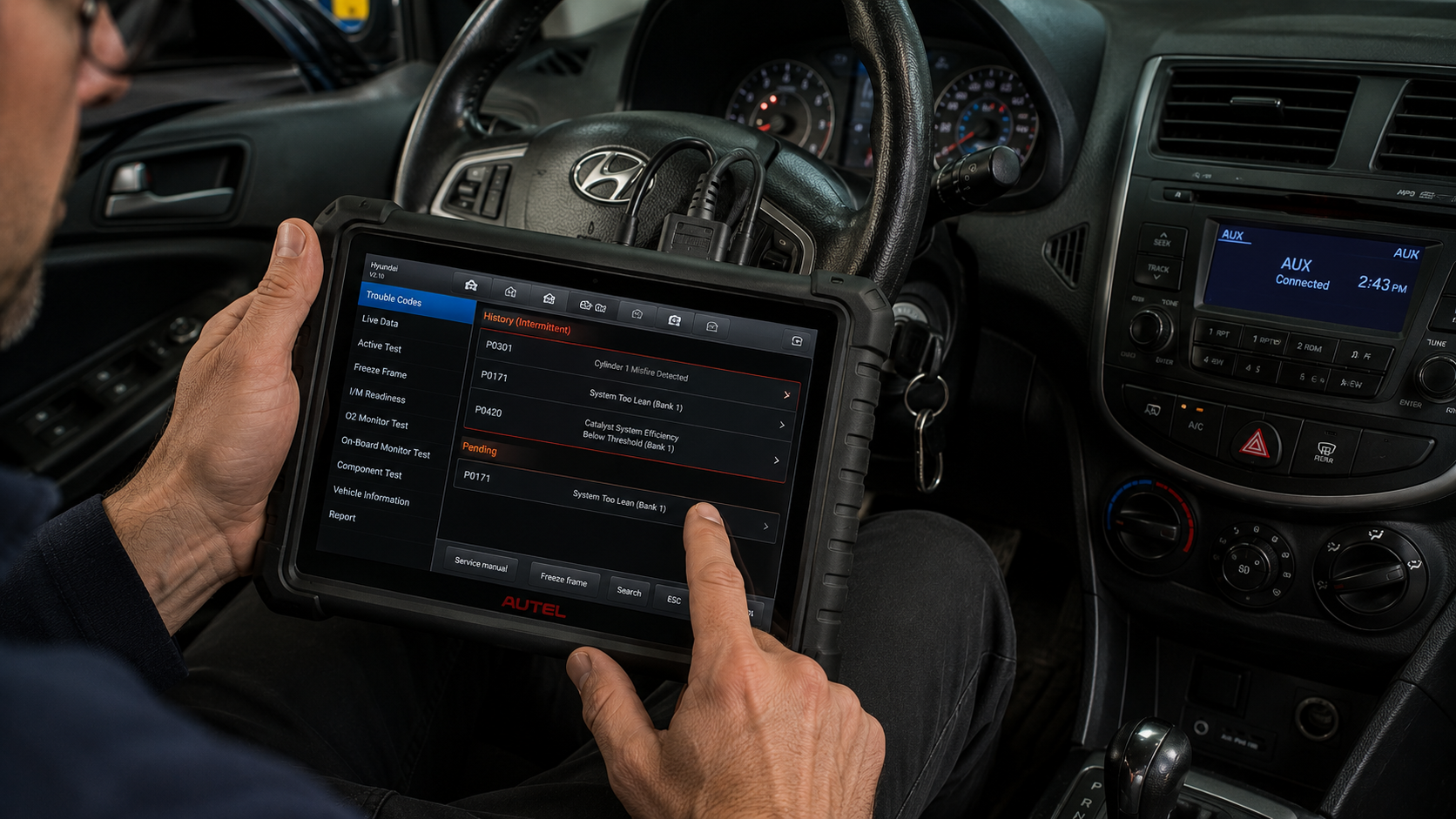
Another useful feature that pairs well with freeze frame is the pending code function. Pending codes are faults that the computer has detected but has not yet confirmed. The OBD2 system requires a problem to happen more than once under similar conditions before it sets a permanent code and turns on the check engine light.
Pending codes let you catch problems in the early stage. You might have a pending misfire code with no check engine light yet, but the freeze frame is already stored. This gives you a head start on fixing the issue before it gets worse or before the light strands you somewhere inconvenient.
Not all scanners show pending codes clearly, but they are usually listed alongside the confirmed codes. They may have a different symbol or be in a separate menu. If your scanner has this feature, make it a habit to check pending codes every time you scan. They are often the first warning sign.
When Live Data Still Has Value
None of this means live data is useless. It is actually essential for confirming repairs. Once you use the freeze frame to figure out what conditions trigger the fault, you can use live data to watch those same parameters while you recreate the conditions. If you suspect a vacuum leak that shows up at hot idle, you can pull up live data for short-term fuel trim, warm the engine up, and watch the numbers in real time.
Live data is also great for finding problems that have not yet triggered a code. A lazy oxygen sensor might not be bad enough to set a code, but you can see it responding slowly in live data. A fuel pump might be weak but not failing, and the fuel trim data will show the computer working harder to compensate.
The best approach is to use both tools together. Start with history to understand what happened. Use live data to confirm what is happening now. Combine the two, and you stop guessing.
Common Mistakes to Avoid
Working with OBD2 data is not difficult, but there are a few habits that will trip you up if you are not careful. Here are the most common ones I see:
- Replacing the part named in the code. A code like P0135 says «O2 sensor heater circuit malfunction.» That does not mean the sensor is bad. It means the heater circuit has a problem, which could be wiring, a fuse, or a connector. Always check the circuit before buying a sensor.
- Ignoring the conditions in the freeze frame. If the frame shows the fault happened at negative twenty degrees during a cold start, do not waste time testing the car at operating temperature. You need to test under the same conditions.
- Clearing codes before recording data. As mentioned earlier, this wipes your evidence. Record first, clear second.
- Assuming one code means one problem. Multiple codes can have a single root cause. A vacuum leak can cause lean codes, misfire codes, and oxygen sensor codes all at once. Fix the leak, and all the codes may disappear.
- Not driving the car after a repair. The computer needs to run its monitors to confirm the fix. A short drive around the block is usually not enough. Follow the specific drive cycle for your vehicle if possible.
Choosing the Right Scanner for History Data
If you are in the market for an OBD2 scanner and want to make sure it handles freeze frame properly, there are a few things to look for. First, check the specifications for the number of freeze-frame PIDs it supports. A good scanner should show at least ten to twelve parameters. Second, look for a model that stores data or lets you export reports. Being able to save a snapshot and review it later is incredibly useful.
Bluetooth scanners like BlueDriver or Ancel BD310 are popular because they pair with your phone and make it easy to screenshot or share data. Handheld units like the Innova 5610 or Foxwell NT301 have built-in screens and do not rely on your phone battery. Both approaches work fine. The important thing is that the tool actually supports freeze-frame reading, not just live data and code clearing.
Price is not always the best indicator. Some expensive scanners are packed with features you will never use, while some affordable ones cover the basics perfectly. For intermittent problem diagnosis, freeze frame support and the ability to view fuel trims are the two most important features to prioritize.
Final Thoughts
Intermittent problems are frustrating because they hide when you look for them. The check engine light is the symptom, not the disease. Live scans only show you the present moment, and the present moment is often perfectly fine. The real story is in the history.
Freeze-frame data is your best tool for catching what live scans miss. It gives you the context of when, where, and how the fault happened. It turns a generic code into a specific clue. It saves you from replacing parts that are not actually broken. And it gives you the confidence to fix the problem right the first time.
Next time that light flickers on and then disappears, do not just clear it and hope for the best. Plug in your scanner, pull the history, and read the story your car is trying to tell you. The answer is already there. You just have to know where to look.
Sources and References
- Car and Driver.» Tested: Best OBD-II Scanners for 2026.» November 19, 2025. https://www.caranddriver.com/car-accessories/g42938164/best-obd2-car-scanners-tested/
- Wikipedia. «On-board diagnostics.» Accessed 2026. https://en.wikipedia.org/wiki/On-board_diagnostics
- CSS Electronics. «OBD2 Explained – A Simple Intro [2026].» January 23, 2025. https://www.csselectronics.com/pages/obd2-explained-simple-intro
- Ancel. «What is Freeze Frame Data on the OBD2 Scanner?» December 12, 2024. https://www.ancel.com/blogs/news/freeze-frame-data-obd2-scanner
- Sicher-Check. «Launch X-431 Explained: Live Data, Freeze Frame & Active Tests.» December 19, 2025. https://www.sicher-check.de/en/blogavto52.html
- OBD Auto Doctor. «OBD2 Freeze Frame explained.» April 22, 2021. https://www.obdautodoctor.com/tutorials/obd-freeze-frame-explained/

Written by Michael Reyes, part of the FallasDeAutos editorial team. Michael focuses on helping car owners understand and fix common vehicle problems with simple, practical guidance. His content covers diagnostics, maintenance, and troubleshooting, making complex automotive issues easier to understand. He aims to provide clear, reliable information that helps readers make informed decisions while encouraging consultation with qualified mechanics when needed.